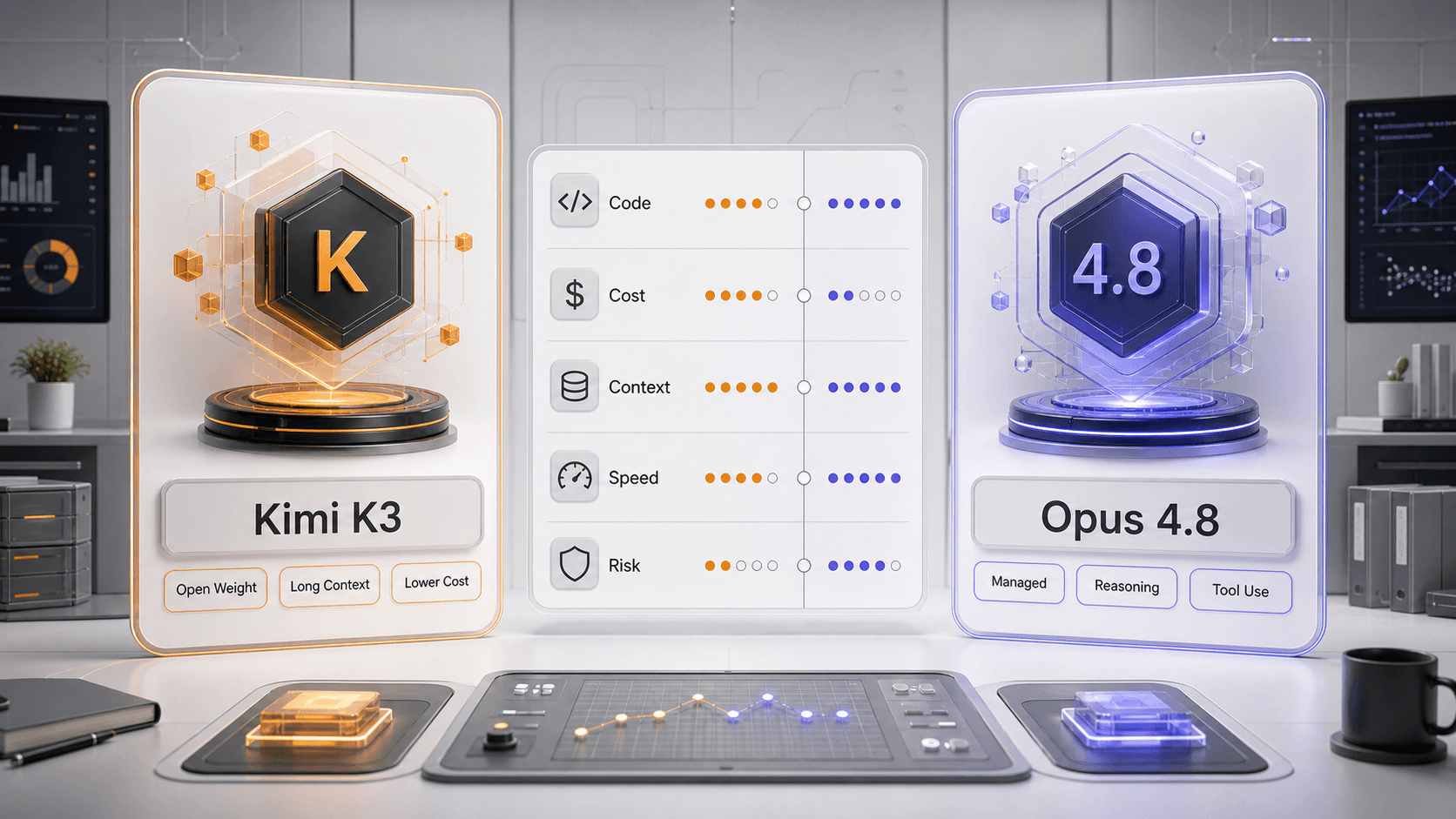
Kimi K3 vs Opus 4.8 is a tradeoff between open-weight value and managed premium reliability. Kimi K3 is the better first test when you need lower cost, large-context coding, and flexible deployment options. Opus 4.8 is the better first test when you need a hosted flagship model for polished reasoning, tool use, and customer-facing workflows.
The useful decision is not which model wins one leaderboard. The useful decision is which one finishes your real workload with fewer retries, acceptable latency, predictable cost, and a risk profile your team can operate.
Part 1: Compare Kimi K3 and Opus 4.8 by Workload
Start with the workflow, then choose the model. Coding-agent reliability, long-context retrieval, cost, speed, managed access, and tool use can point to different winners.
Where Kimi K3 Has the Stronger Case
Choose Kimi K3 first when you are running many coding experiments, testing long-context repository work, or trying to reduce cost without giving up advanced model capability. It is also the more flexible option when open-weight access matters to your deployment plan.
Where Opus 4.8 Has the Stronger Case
Choose Opus 4.8 first when the workflow is high-stakes, user-facing, or already built around managed Claude access. Its value is not just raw reasoning; it is a hosted premium path with less infrastructure ownership.
Part 2: Test Kimi K3 and Opus 4.8 Before Production
Use a task-based scorecard instead of a general vibe check. A model that looks better in one demo can still lose once you include cost, latency, retry rate, tool-call failures, and support burden.
AI Prompt for Kimi K3 vs Opus 4.8 Testing
Use this fixed prompt to score both models on the same task without copying private details.
Compare two AI models on the same workload.
Score each model for correctness, coding-agent reliability, tool use, context retrieval, latency, token cost, retry rate, and production risk.
Return a comparison table first, then a recommendation for which model should handle this workload.
Separate measured results from subjective judgment.
- - Paste the same coding issue, agent task, document, or production-style prompt for both models.
- - Add the provider, model route, temperature, context size, tool access, retry rule, and budget limit.
- - Record one easy task, one realistic production task, and one failure-recovery task.
- 1. Use the same task set: include coding, long-context retrieval, tool use, and a correction turn.
- 2. Keep settings consistent: use the same context, temperature, tools, and output format.
- 3. Measure total cost: include retries, failed calls, long outputs, and human review time.
- 4. Decide by deployment fit: compare hosted reliability against open-weight flexibility before moving traffic.
Use OpenRouter for a Controlled First Pass
OpenRouter is useful when both models are available through the same provider layer because you can keep the request shape similar while switching model IDs. For the Kimi setup path, use the Kimi K3 OpenRouter guide. For Kimi background, use the Kimi K3 model profile.
Do Not Ignore Retry Rate
The cheaper model is not always cheaper if it needs many retries. The premium model is not always worth it if a lower-cost model reaches the same accepted answer. Compare cost per accepted output, not only cost per token.
Conclusion: Use Kimi K3 for Value, Opus 4.8 for Managed Reliability
For most builders, Kimi K3 is the better first experiment for cost-sensitive coding and long-context work. Opus 4.8 is the better first baseline for premium managed reasoning and customer-facing agents. Test both on the same workload before making the production choice.